

 Loading...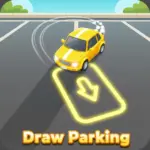






























































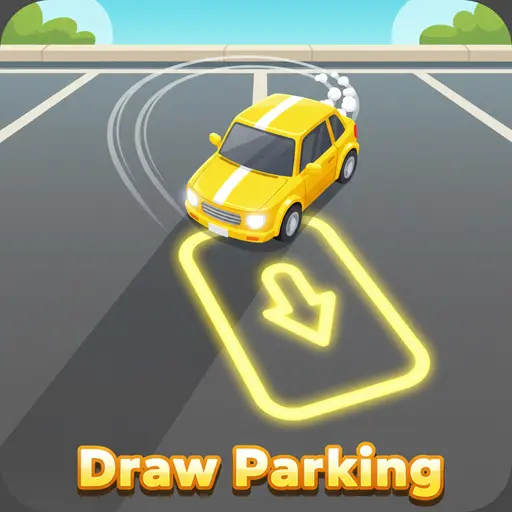
Play Draw Parking online for free, the ultimate puzzle game where your finger becomes the steering wheel! In this colorful and brain-teasing adventure, you need to guide cars to their designated parking spots by drawing the perfect path on the screen. It is super easy to learn but gets tricky fast, making it fun and accessible for players on phones, tablets, and computers.
This game is not just about drawing lines; it challenges your logic and timing skills. As you progress, you will collect coins, unlock cool new cars, and face tougher obstacles that require smart thinking. Whether you're playing on a phone, tablet, or computer, Draw Parking is packed with exciting levels that keep you guessing.
Do you have the skills to park every car perfectly without a single crash?
About Draw Parking
Draw Parking is a fun and addictive puzzle game that combines drawing mechanics with parking challenges. It was first released in May 2020 and quickly became a hit because of its simple yet satisfying gameplay.
The game was created by Fomo Games, a developer known for making colorful and engaging casual games. Whether you're playing on a desktop, tablet, or mobile phone, Draw Parking is designed to test your spatial awareness and problem-solving skills in a relaxing environment.
Thanks to its bright colors and smooth controls, Draw Parking continues to be a favorite choice for kids and players of all ages who love logic puzzles and car games!
Draw Parking Gameplay
Draw Parking is easy to start but gets harder as you go! You begin with a single car and a matching parking spot. Your main goal is to draw a line from the car to the parking zone without hitting any walls or obstacles. You need good planning skills and a steady hand for success.
As you beat levels, the game introduces more cars that must move at the same time. You have to make sure their paths don't cross at the wrong moment, or they will crash! This unique mechanic makes the game a test of timing as well as drawing.
In every level, you can collect coins scattered around the map. You can use these coins to unlock shiny new vehicles and cool designs. Earning three stars on every level requires you to collect all items and park perfectly.
Later levels add trickier challenges like moving barriers and tight corners. You have to figure out exactly how the cars will move once you lift your finger. The better your logic skills, the faster you will clear the stages.
Platform
You can play this game directly in your web browser, whether you're using a desktop, laptop, tablet, or mobile device.
How to Play Draw Parking?
In Draw Parking, your main goal is to guide every car to the parking spot that matches its color. You must draw a line on the screen to create a driving path. Once you finish drawing, the car will automatically follow the line to the destination.
As you progress, you will see multiple cars on the screen. You must draw paths for all of them. The challenge is that once you start the cars, they all move at once! If their paths cross at the same time, they will crash, and you will have to restart the level.
To win, all cars must reach their parking spots safely. You score points and earn stars based on collecting coins and completing the level without errors. This motivates you to try different strategies to get a perfect score.
Controls
Draw Parking uses very simple controls that are perfect for touchscreens and mice. Here's how you control the cars:
- On Computer:
- Left Mouse Button: Click and hold on a car, then drag the mouse to draw a line to the parking spot. Release to finish the path.
- Mouse Movement: Use the cursor to navigate menus.
- On Mobile:
- Touch and Drag: Place your finger on a car and slide it across the screen to draw the path. Lift your finger to set the route.
- Tap: Tap buttons to restart or go to the next level.
The controls are intuitive—just draw and watch the cars go, making it super easy for anyone to learn in seconds.
Tips and Tricks for Draw Parking
Want to become a parking master in Draw Parking? These simple and helpful tips will improve your logic skills and help you unlock cool rewards:
- Watch the Colors: Always match the red car to the red spot and the yellow car to the yellow spot.
- Check for Crashes: Before you draw, imagine where the paths might cross to avoid collisions.
- Collect All Coins: Try to draw your line through the gold coins to maximize your score and unlock new cars.
- Use Curves: You don't have to draw straight lines; curve your path around obstacles to stay safe.
- Timing is Key: Remember that cars move at the same speed. If one path is shorter, that car will arrive first.
- Avoid Edges: Don't draw too close to the walls, or your car might scrape them and fail the level.
- Restart Quickly: If you make a mistake, hit the restart button immediately to try a new strategy.
- One by One: You can draw one path, think, and then draw the next one. You don't have to rush your drawing phase.
Follow these tips and you'll be unlocking all the legendary cars in no time!
Features of Draw Parking
Draw Parking is a puzzle game designed for players of all ages. Below are the top features that make this game so enjoyable and addictive:
- Colorful Graphics: Bright, vibrant 3D visuals that make the gameplay look fun and inviting.
- Multiple Levels: Hundreds of stages with increasing difficulty to keep you challenged for hours.
- Vehicle Variety: Unlock different types of cars, from sports cars to trucks, using the coins you collect.
- Simple Mechanics: One-finger gameplay that is easy to understand but hard to master.
- Brain Training: Helps improve your logic, spatial reasoning, and problem-solving abilities.
- Offline Play: Many versions allow you to play without internet once the game is loaded.
- Satisfying Physics: Smooth car movements and funny crash effects make every attempt entertaining.
- No Time Limit: Take your time to plan your route without the pressure of a ticking clock.
These features make Draw Parking a perfect game for anyone who loves relaxing puzzles and car challenges!
Game Details
| Developer | Fomo Games |
|---|---|
| Release Date | May 2020 |
| Genre | Puzzle |
| Platform | Web Browser, Android, iOS |
| Mode | Single Player |
Draw Parking Online
Draw Parking online is the special version of the popular puzzle game that you can play right here on our website. This version has been carefully designed so that you can enjoy the game directly in your browser—without downloading or installing anything!
You can start playing Draw Parking instantly with just one click. It works smoothly on all major web browsers, including Google Chrome, Mozilla Firefox, Microsoft Edge, Safari, and Opera. Whether you're using a computer, tablet, or mobile phone, the game is fully optimized for your device.
This is a modified edition of the original Draw Parking, made for the best online experience. It keeps all the fun gameplay while running fast and safely on every browser.
Draw Parking for Free
You can enjoy playing Draw Parking for free right here on our website. This is a special modified version of the original game that allows you to play online without paying anything. No download is needed, and there are no hidden fees or in-game purchases.
Everything in the game—from the challenging levels to the unlockable cars—is completely free. Kids and players of all ages can have fun without spending a single coin!
Also, all the games on our site are 100% free to play. We believe in fun gaming without limits or costs. Just choose a game and start playing instantly!
Can You Play Draw Parking Unblocked?
Yes! You can play Draw Parking unblocked anytime on our website Blumgi Slime. Whether you're at school, in class, at work, or on a break, the game runs smoothly without any restrictions.
There's no need to download anything or bypass any blocks. Just visit our site and start drawing paths right away. It's safe, fast, and works perfectly on any device!
- Unblocked Games 76: A popular site that offers a large variety of unblocked games, including Draw Parking’s clean and engaging gameplay.
- Unblocked Games G+: Another great destination for games that are often blocked on school networks. Draw Parking is featured for quick, logic‑based fun.
- Unblocked Games 6x: Offers safe, kid‑friendly titles. Draw Parking fits perfectly with its puzzle and logic focus.
- Unblocked Games 66: Known for its extensive collection of accessible games. Draw Parking is available for unblocked play, letting you test your skills wherever you are.
- Unblocked Games 67: Provides no-download, in‑browser games. Draw Parking appears in the puzzle section.
- Unblocked Games 77: A robust selection of unblocked games, letting you enjoy Draw Parking’s engaging platform for quick challenges.
Draw Parking GitHub
Many players search for Draw Parking GitHub versions to bypass blocks that prevent them from playing the game at school or work. While GitHub might offer some alternatives, it's often complicated and not always reliable.
But with our website Blumgi Slime , you don't need to search for GitHub versions anymore. Our version of Draw Parking runs smoothly on all devices and networks. Whether you're in the classroom, office, or on a break — enjoy the full game online with no restrictions, no downloads, and completely for free!
Draw Parking Download
Many fans of Draw Parking love to download the game to their own devices for a better playing experience than just playing on the browser. Here's how you can do it:
- If your device runs on Android, just go to the Google Play Store and tap the install button to download the game.
- If you use Apple devices like iPhone or iPad, head to the Apple App Store and press the install button to get the game.
APK Draw Parking
If you use an Android device but can't find the game in the Google Play Store, don't worry! You can search for the Draw Parking APK file online and download it directly to your device. This way, you can install the game without using Google Play.
Also, if you love playing on your computer, you can download Draw Parking for free from the Steam store. This lets you enjoy the game with better controls and graphics.
Draw Parking Extension
Many fans of Draw Parking prefer to play the game directly on their browser using a Google Chrome extension. This lets them start playing instantly without having to visit the website every time. Plus, some extensions allow you to play offline whenever you want. To download the Draw Parking extension, click here.
Similar Games to Draw Parking
Find More Games by Category
Frequently Asked Questions (FAQ) About Draw Parking
-
What is Draw Parking?
Draw Parking is a game where you need to draw lines to guide cars to their matching colored parking spots without crashing. -
How do I play Draw Parking?
Use the mouse or touch controls to click (or tap) on a car, drag to its parking spot, and release to create a line. -
Is the game free?
Yes, Draw Parking is free and accessible directly in the browser. -
On which platforms can I play?
The game is available on Web Browsers, Android, and iOS devices. -
Do I need an account to play?
No, you can start immediately without an account. -
Is the game suitable for children?
Yes, Draw Parking is designed for all ages and features age‑friendly graphics and simple puzzles. -
Are there difficulty levels?
Yes, the game gets harder as you progress through levels, adding more cars and obstacles. -
How do I progress to the next level?
You need to park all cars safely without crashing to move to the next level. -
Can I replay a level?
Yes, you can replay all levels at any time to get a better score or collect missed coins. -
Is the game multiplayer?
No, Draw Parking is a solo game. There is no multiplayer mode included. -
Are there any tips for success?
Plan your paths before drawing, watch out for where paths cross, and try to collect coins for bonuses. -
How can I improve my skills in the game?
Practice regularly, learn the timing patterns of the cars, and use the restart button to try different routes. -
What do I do if the game is lagging or crashing?
Try clearing your browser cache, updating your browser, or playing on a different device with a stable internet connection. -
Can I play without an internet connection?
No, this version requires an internet connection to be played directly in the browser. -
How do I earn rewards or bonuses?
You can earn rewards by collecting coins scattered on the map and by completing levels with three stars. -
What happens when I lose?
If a car crashes, you fail the level and must restart the stage to try again. -
How often does the game get updated?
The game receives updates occasionally with bug fixes. Check the game website for details on any new content. -
Can I customize my cars?
Yes, you can use the coins you collect to unlock new skins and vehicle models in the shop menu. -
How do I unlock new levels or stages?
New levels unlock automatically after completing the previous level. -
Is there any way to save my progress?
Yes, your progress is automatically saved through your browser’s local storage so you can come back later.
Can I play Draw Parking on my school Chromebook?
Yes, our website is optimized to work on Chromebooks so you can play Draw Parking at school without issues.
Do the cars move at different speeds?
Usually, all cars move at the same speed, which makes timing your drawings very important to avoid crashes.
What happens if I draw a line through an obstacle?
You cannot draw through walls; the line will stop or turn red, meaning you have to find a clear path around the obstacle.
Can I undo a line I drew?
Most versions let you redraw the line simply by tapping the car and drawing a new path before the cars start moving.
Are there boss levels in Draw Parking?
There are no traditional bosses, but every few levels you will face "Challenge Levels" that are much harder than normal stages.
How many stars can I get per level?
You can earn up to three stars per level by collecting all the coins and finishing without crashing.
Why did my car stop moving?
If a car hits a wall or another car, it will stop and crash, forcing you to restart the level.
Does Draw Parking require a mouse?
No, you can play easily using a trackpad on a laptop or by using your finger on a touchscreen device.
Can I skip a hard level?
Some versions allow you to skip a level by watching a short ad, but usually, you must complete it to proceed.
Is there a time limit to draw the lines?
No, take as much time as you need to plan and draw your lines before the cars start driving.
Can I play Draw Parking in full screen?
Yes, look for the full-screen button near the game window to expand the game for a better view.
What are the coins used for?
Coins are used to buy new car styles and sometimes new visual themes for the parking lot.
Is Draw Parking an educational game?
It can be considered educational as it helps develop logic, planning, and spatial awareness skills in kids.
Do I need to download an app to play?
No, you can play the full game directly in your web browser without downloading any apps.
Does the game have sound effects?
Yes, the game features satisfying engine sounds, crash noises, and cheerful background music.
Conclusion
Draw Parking is a fantastic puzzle game that mixes logic with creativity, making it enjoyable for everyone. It helps players develop important skills like planning and timing while having a blast guiding colorful cars to their spots. With its easy-to-learn controls and increasing difficulty, it offers the perfect balance of fun and challenge.
Whether you are on a tablet, phone, or computer, you can jump right into the action without spending a penny. Draw Parking is completely free to play and requires no downloads, so you can start solving puzzles immediately.
So, why wait? Grab your device, start drawing those paths, and see if you can become the ultimate parking master! Don't forget to share the game with your friends to see who can solve the hardest levels the fastest!