

 Loading...













Play Bowling Challenge online for free, the ultimate 3D sports game that brings the excitement of the bowling alley right to your screen! Have you ever wanted to score a perfect strike without lifting a heavy ball? In this game, you can test your aim and precision with cool graphics and realistic physics that make every throw feel satisfying. It is super easy to learn but hard to master, making it perfect for quick fun.
You can collect points, beat high scores, and become a bowling legend. Whether you're playing on a phone, tablet, or computer, Bowling Challenge is packed with smooth animations and addictive gameplay that will keep you coming back for more. You don't need to rent shoes or travel to an alley—just load the game and start rolling.
Are you ready to lace up your virtual shoes and bowl a perfect 300 game?
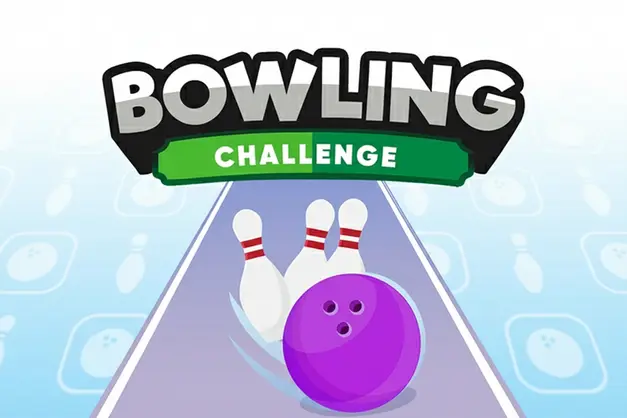
About Bowling Challenge
Bowling Challenge is an exciting HTML5 sports arcade game that simulates the real-life experience of ten-pin bowling. It was first released in 2018 and quickly became popular for its vibrant 3D visuals and responsive mechanics.
The game was created by Code This Lab, a well-known developer famous for creating high-quality browser games. Whether you're playing on a desktop, tablet, or mobile phone, Bowling Challenge is designed to adjust perfectly to your screen size, offering a smooth experience without any lag.
Thanks to its realistic physics engine and colorful design, Bowling Challenge continues to be a favorite choice for kids and players of all ages who love sports simulations and competitive arcade action!
Bowling Challenge Gameplay
Bowling Challenge is surprisingly tricky despite its simple look! You start with a standard ball and a lane of ten pins. Your main goal is to knock down as many pins as possible in ten frames to achieve the highest score. You need steady hands and good timing to direct the ball exactly where you want it to go.
As you play, you will notice that getting a Strike (knocking all pins down at once) requires finding the perfect angle. The game features realistic pin physics, meaning hitting the head pin straight on might leave a split, while hitting the "pocket" between pins is the key to success. Unlike other simple bowling games, this one rewards skill and precision.
The gameplay relies on a swipe-and-release mechanic. You determine the position of the throw and the power. A straight throw is safe, but adding a little angle can help clean up difficult spare shots. Every frame gives you two chances to clear the pins unless you get a strike on the first try.
Advanced players learn to read the lane setup. Later in the game, the pressure builds as you try to beat your personal best. Your success depends entirely on your ability to replicate your best shots consistently.
Platform
You can play this game directly in your web browser, whether you're using a desktop, laptop, tablet, or mobile device.
How to Play Bowling Challenge?
In Bowling Challenge, your main goal is to score as close to 300 points as possible by knocking down pins over ten frames. You face the classic ten-pin setup at the end of a long wooden lane. You must aim carefully and manage the power of your throw to ensure the ball hits the pins with enough force to scatter them.
The game progresses through standard bowling rules. If you knock down all pins in one throw, it is a Strike. If it takes two throws, it is a Spare. If you miss pins after two throws, the turn ends. There are no lives to lose, but a low score means you won't beat your personal record. The challenge is to maintain consistency frame after frame.
The game ends after the 10th frame. If you score a Strike or Spare in the final frame, you get bonus throws to maximize your final score. The motivation comes from trying to beat your own high score or challenging friends to see who is the better bowler.
Controls
Bowling Challenge uses intuitive gesture-based controls. Here's how you control the ball:
- On Computer:
- Move the mouse to position the ball left or right.
- Click and swipe forward quickly to throw the ball.
- The speed of your swipe determines the power of the throw.
- On Mobile:
- Touch and drag the ball to set your starting position.
- Swipe your finger forward on the screen to bowl.
- Swipe faster for a powerful shot or slower for a precision shot.
These simple controls make it super easy to pick up, but the sensitivity means you need practice to throw straight every time.
Tips and Tricks for Bowling Challenge
Want to bowl like a pro in Bowling Challenge? These simple and helpful tips will improve your aim and help you unlock cool high scores:
- Aim for the Pocket: Don't aim straight at the front pin; aim slightly to the left or right of it (the "pocket") to increase your chance of a strike.
- Watch Your Power: Throwing as hard as possible isn't always best. A controlled medium-speed throw often scatters pins better.
- Adjust Starting Position: If you keep missing to the left, move your starting position on the lane to the right to compensate.
- Follow Through: On mobile, make sure your swipe is straight. A curved swipe might spin the ball into the gutter.
- Pick Up Spares: If you leave pins standing, take a second to line up your shot specifically for those remaining pins rather than throwing blindly down the middle.
- Practice Timing: Get used to the sensitivity of the mouse or touch controls so you don't accidentally throw the ball while aiming.
- Don't Rush: Take a moment to set up each shot. Rushing leads to mistakes and gutter balls.
Follow these tips and you'll be rolling strikes in no time!
Features of Bowling Challenge
Bowling Challenge is a 3D arcade game designed for players of all ages. Below are the top features that make this game so enjoyable and addictive:
- Realistic Physics: The pins react just like they do in real life, bouncing and spinning when hit by the ball.
- 3D Graphics: Enjoy bright, polished visuals that make the bowling alley look fantastic on any screen.
- Intuitive Controls: Simple swipe mechanics make it accessible for kids and adults alike.
- Classic Rules: Follows standard 10-pin bowling scoring, making it a great way to learn the real sport.
- Instant Play: No long loading times or complex menus—jump straight into the action.
- Cross-Platform: Works perfectly on both touchscreens and mouse-and-keyboard setups.
- High Score Tracker: Keeps track of your best games so you can always try to beat your record.
- Sound Effects: Authentic sounds of the ball rolling and pins crashing add to the immersion.
These features make Bowling Challenge a perfect game for anyone who loves sports games and skill-based challenges!
Game Details
| Developer | Code This Lab |
|---|---|
| Release Date | 2018 |
| Genre | Sports / Arcade |
| Platform | Browser (Desktop, Mobile, Tablet) |
| Mode | Single Player |
Bowling Challenge Online
Bowling Challenge online is the special version of the popular sports game that you can play right here on our website. This version has been carefully designed so that you can enjoy the game directly in your browser—without downloading or installing anything!
You can start playing Bowling Challenge instantly with just one click. It works smoothly on all major web browsers, including Google Chrome, Mozilla Firefox, Microsoft Edge, Safari, and Opera. Whether you're using a computer, tablet, or mobile phone, the game is fully optimized for your device.
This is a modified edition of the original Bowling Challenge, made for the best online experience. It keeps all the fun gameplay while running fast and safely on every browser.
Bowling Challenge for Free
You can enjoy playing Bowling Challenge for free right here on our website. This is a special modified version of the original game that allows you to play online without paying anything. No download is needed, and there are no hidden fees or in-game purchases.
Everything in the game—from the full 10 frames to the scoring system—is completely free. Kids and players of all ages can have fun without spending a single coin!
Also, all the games on our site are 100% free to play. We believe in fun gaming without limits or costs. Just choose a game and start playing instantly!
Can You Play Bowling Challenge Unblocked?
Yes! You can play Bowling Challenge unblocked anytime on our website UBlumgi Slime. Whether you're at school, in class, at work, or on a break, the game runs smoothly without any restrictions.
There's no need to download anything or bypass any blocks. Just visit our site and start bowling right away. It's safe, fast, and works perfectly on any device!
- Unblocked Games 76: A popular site that offers a large variety of unblocked games, including Bowling Challenge’s clean and engaging gameplay.
- Unblocked Games G+: Another great destination for games that are often blocked on school networks. Bowling Challenge is featured for quick, skill-based fun.
- Unblocked Games 6x: Offers safe, kid‑friendly titles. Bowling Challenge fits perfectly with its sports and arcade focus.
- Unblocked Games 66: Known for its extensive collection of accessible games. Bowling Challenge is available for unblocked play, letting you test your skills wherever you are.
- Unblocked Games 67: Provides no-download, in‑browser games. Bowling Challenge appears in the sports section.
- Unblocked Games 77: A robust selection of unblocked games, letting you enjoy Bowling Challenge’s engaging platform for quick challenges.
Bowling Challenge GitHub
Many players search for Bowling Challenge GitHub versions to bypass blocks that prevent them from playing the game at school or work. While GitHub might offer some alternatives, it's often complicated and not always reliable.
But with our website Blumgi Slime , you don't need to search for GitHub versions anymore. Our version of Bowling Challenge runs smoothly on all devices and networks. Whether you're in the classroom, office, or on a break — enjoy the full game online with no restrictions, no downloads, and completely for free!
Bowling Challenge Download
Many fans of Bowling Challenge love to download the game to their own devices for a better playing experience than just playing on the browser. Here's how you can do it:
- If your device runs on Android, just go to the Google Play Store and tap the install button to download the game.
- If you use Apple devices like iPhone or iPad, head to the Apple App Store and press the install button to get the game.
APK Bowling Challenge
If you use an Android device but can't find the game in the Google Play Store, don't worry! You can search for the Bowling Challenge APK file online and download it directly to your device. This way, you can install the game without using Google Play.
Also, if you love playing on your computer, you can download Bowling Challenge for free from the Steam store. This lets you enjoy the game with better controls and graphics.
Bowling Challenge Extension
Many fans of Bowling Challenge prefer to play the game directly on their browser using a Google Chrome extension. This lets them start playing instantly without having to visit the website every time. Plus, some extensions allow you to play offline whenever you want. To download the Bowling Challenge extension, click here.
Similar Games to Bowling Challenge
Find More Games by Category
Frequently Asked Questions (FAQ) About Bowling Challenge
-
What is Bowling Challenge?
Bowling Challenge is a casual sports arcade game where you need to knock down ten pins using a bowling ball to score points. -
How do I play Bowling Challenge?
Use the mouse or touch controls to position your ball, then swipe forward quickly to throw it down the lane. -
Is the game free?
Yes, Bowling Challenge is free and accessible directly in the browser. -
On which platforms can I play?
The game is available on PC, Mac, Android phones, iPhones, and tablets directly via the browser. -
Do I need an account to play?
No, you can start immediately without an account. -
Is the game suitable for children?
Yes, Bowling Challenge is designed for all ages and features kid-friendly graphics and simple rules. -
Are there difficulty levels?
The game relies on skill, so the difficulty increases as you try to beat your own high score or aim for strikes consistently. -
How do I progress in the game?
You play through 10 frames per game. Your goal is to get the highest score possible in a single session. -
Can I replay a game?
Yes, you can restart a new game instantly after finishing the 10th frame. -
Is the game multiplayer?
No, Bowling Challenge is a solo game. There is no multiplayer mode included in this version. -
Are there any tips for success?
Try to aim for the space between the front pin and the second row (the pocket) to get more strikes. -
How can I improve my skills in the game?
Practice your swipe speed and direction to build muscle memory for straight shots. -
What do I do if the game is lagging or crashing?
Try clearing your browser cache, updating your browser, or playing on a different device with a stable internet connection. -
Can I play without an internet connection?
No, this game requires an internet connection to be played directly in the browser. -
How do I earn rewards or bonuses?
You earn bonus points for scoring Strikes (knock all pins in one throw) and Spares (knock all pins in two throws). -
What happens if I throw a gutter ball?
You score zero points for that throw, but you can try again on your second throw if it was the first shot of the frame. -
How often does the game get updated?
The game receives occasional updates for performance and compatibility. Check the game website for details. -
Can I customize my ball?
In this version, customization is limited, and you typically play with the standard bowling ball provided. -
How is the score calculated?
It uses standard bowling rules: 1 point per pin, with bonuses for strikes (next two balls count double) and spares (next one ball counts double). -
Is there any way to save my progress?
High scores are often saved temporarily in your browser cache, but clearing cache will reset them.
What is a Strike in Bowling Challenge?
A Strike happens when you knock down all ten pins with your very first throw of a frame, earning you 10 points plus the total of your next two throws.
What is a Spare?
A Spare is achieved when you knock down all remaining pins with your second throw in a frame, earning you 10 points plus the pins from your next single throw.
How many frames are in a game?
A standard game of Bowling Challenge consists of 10 frames, just like real bowling.
Can I play Bowling Challenge on my iPhone?
Yes, the game is optimized for mobile browsers so you can play it on Safari on your iPhone without installing an app.
Why does my ball go into the gutter?
Your ball goes into the gutter if your aim is too far to the side or if you swipe at a sharp angle instead of straight forward.
Is this game 3D?
Yes, Bowling Challenge features 3D graphics that make the lane, pins, and ball movement look realistic.
Does wind affect the ball?
No, there is no wind in this indoor bowling simulation, so you only need to worry about your aim and power.
Can I play with friends?
While there is no online multiplayer, you can take turns playing on the same device to compete for the highest score.
Is Bowling Challenge educational?
It helps improve hand-eye coordination and teaches the basic rules and scoring math of the sport of bowling.
What is the maximum score?
The maximum possible score in a perfect game of Bowling Challenge is 300 points.
Do I need a mouse to play?
No, if you are on a touchscreen device, you can use your finger to aim and throw.
Is there a time limit?
There is no strict timer for your throw, so you can take your time to aim carefully before releasing the ball.
Can I change the difficulty?
The game does not have selectable difficulty levels; the challenge comes from your own physical precision.
Does the game have sound?
Yes, it features sound effects for the ball rolling on the wood and the crash of the pins.
Is it safe for school?
Yes, Bowling Challenge is a safe, non-violent sports game that is appropriate for school environments.
Conclusion
Bowling Challenge is a fantastic way to enjoy the thrill of the bowling alley without leaving your home. It combines fun 3D graphics with simple controls that help you develop your timing and coordination skills while learning the classic rules of the sport. It's accessible to everyone, from beginners to bowling pros.
Because it works on any device—phone, tablet, or computer—and is completely free to play, it's the perfect choice for kids looking for quick entertainment. You don't need any money or downloads to start your journey toward a perfect 300 score.
So, why wait? Click play now and see how many strikes you can roll! Don't forget to challenge your friends to beat your high score and prove who the true master of the lanes is!